What Is a TRON Wallet and Why Check Its Balance
A TRON wallet is a digital account that holds TRX tokens and TRC20-based assets like USDT. Your wallet has a public address (visible to anyone) and a private key (secret, never shared). Checking your wallet balance tells you how much TRX you own and confirms receipt of incoming transfers. Beyond balance, you may need to verify a TRON address for compliance—especially in business or high-value transactions—to ensure the funds aren't tainted, frozen by exchanges, or linked to sanctions lists. This is where AML screening becomes critical: a wallet tied to a mixer, darknet market, or stolen funds can result in your exchange account being frozen or your coins being flagged as dirty.
How to Check TRON Wallet Balance Using Tronscan
Tronscan is the official TRON block explorer. Follow these steps:
- Go to tronscan.org in your browser.
- In the search bar at the top, paste your TRON wallet address (starts with T).
- Press Enter. Your wallet dashboard appears, showing: - Total TRX balance - Frozen TRX (if any) - TRC20 token holdings (USDT, etc.) - Recent transactions with timestamps and amounts
- Click on any transaction to see full details: sender, receiver, fee, and confirmation status.
Your balance updates in real time. If you're checking a TRON address you received from someone else, this same process lets you verify the address exists and see its transaction history. However, Tronscan shows only balance and transaction data—it does not flag AML risk. To check whether a TRON address has been used in scams, sanctions violations, or stolen fund transfers, you need a dedicated AML screening tool.
How to Check TRON Transaction Details and History
Once you've found your wallet on Tronscan, scroll down to the 'Transactions' section. Each row shows:
- Transaction hash (unique ID)
- From address
- To address
- Amount and token type
- Timestamp
- Status (success, pending, or failed)
Click any transaction hash to open its full record, including gas fees and the exact block number. This is useful for confirming a payment arrived or troubleshooting a stuck transfer. If you're receiving TRX or USDT from a new contact, check their address history: look for patterns of frequent transfers, large volumes, or rapid movements to multiple wallets. Sudden or unusual activity can signal a compromised account or a scam. For deeper risk assessment—checking if the address is linked to gambling, mixers, or darknet markets—you'll need to cross-reference with an AML check service.
Screening a TRON Address Before Receiving Funds
Before accepting a large TRX or USDT TRC20 transfer, screen the sender's address for AML risk. Here's why: if you receive coins flagged as stolen or sanctioned, exchanges may freeze your account when you try to sell or withdraw. Follow this workflow:
- Ask the sender for their TRON wallet address.
- Check the balance and transaction history on Tronscan (as above).
- Look for red flags: very new wallet, no prior transaction history, or rapid transfers to many addresses.
- Use a verified AML screening service (available on our curated AML Services page) to run a full risk assessment. These tools check against: - Sanctions lists (OFAC, EU, UN) - Darknet market wallets - Mixer and tumbler addresses - Stolen fund databases - Scam and fraud reports
- Review the risk score: low risk (green) is safe; medium or high risk warrants caution or rejection.
This step takes minutes and can save you from frozen funds or compliance violations.
Understanding TRON Wallet Risk Scores and AML Flags
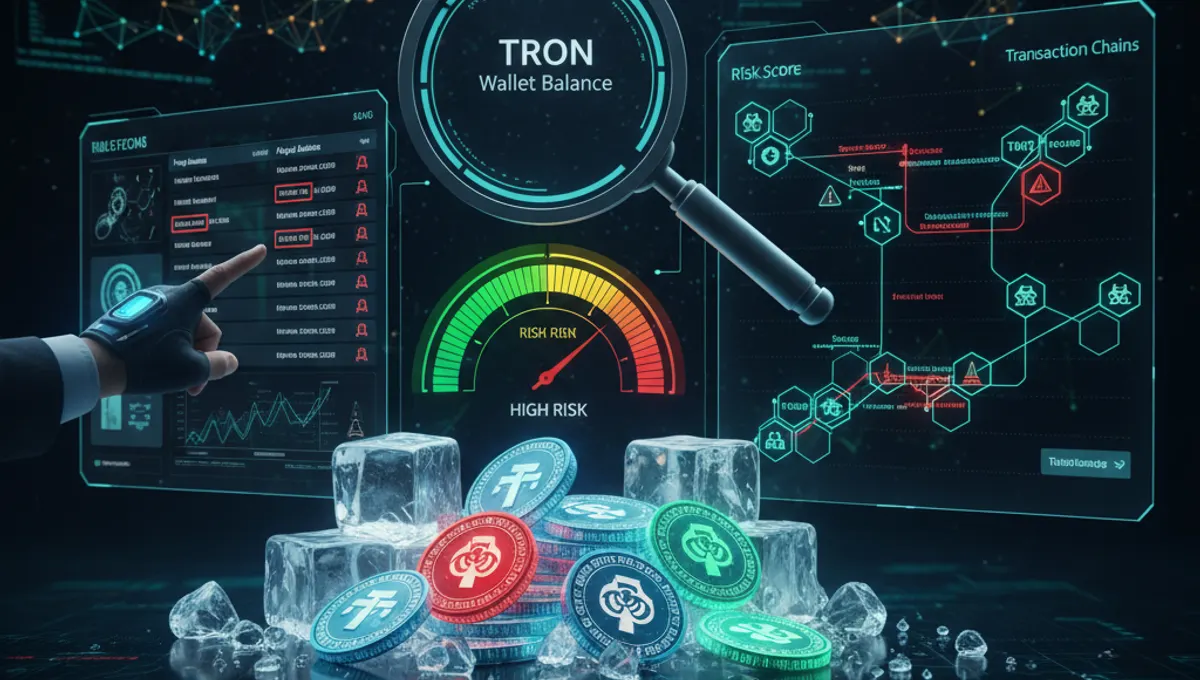
When you run an AML check on a TRON address, you receive a risk score—typically a percentage or color-coded rating (green, yellow, red). Here's what each means:
- Green / Low Risk (0–20%): Address has clean history, no known ties to sanctions, theft, or illicit activity.
- Yellow / Medium Risk (21–60%): Address has minor flags—e.g., interaction with a mixer or gambling platform—but not definitively illegal. Proceed with caution.
- Red / High Risk (61–100%): Address is linked to sanctions, darknet markets, stolen funds, or active scams. Do not accept funds from this address.
Risk scores are based on blockchain analysis: AML services track known bad addresses (from law enforcement, exchange bans, or public fraud reports) and flag any wallet that has received or sent funds to them. A single transaction to a mixer doesn't always mean the wallet is compromised—it could be a privacy-conscious user—but it increases scrutiny. The key is context: a business wallet should have low risk; a wallet with no history or rapid, erratic activity warrants investigation.
What to Do If Your TRON Wallet Is Flagged as High Risk
If you discover your own wallet has a high AML risk score, or if you've received funds from a flagged address, take these steps:
- Do not panic. A flag doesn't mean you've done anything wrong; it may reflect prior activity or a false positive.
- Review the specific flags: the AML report should detail which risk categories triggered the alert (sanctions, darknet, theft, etc.).
- If the flag is due to a transaction you didn't authorize, your wallet may be compromised. Move your funds to a new, secure wallet immediately.
- If the flag is due to a transaction you made (e.g., you used a mixer for privacy), document your intent. Some exchanges allow you to appeal or provide context.
- Avoid depositing flagged coins to an exchange without disclosure. Exchanges run their own AML checks and may freeze your account if tainted funds arrive unannounced.
- Consider using a service from our AML Services directory to get a detailed risk report and recommendations for remediation.
Transparency is your best defense: if you can explain the activity, most compliant exchanges will work with you.
Free vs. Paid TRON Wallet Screening Tools
Checking your balance on Tronscan is free. However, comprehensive AML screening—checking a TRON address for sanctions, darknet exposure, and stolen funds—typically requires a paid service or a free tier with limited checks.
Free options: - Tronscan: balance and transaction history only, no AML risk scoring. - Some AML services offer 1–3 free checks per month to test their platform.
Paid options: - Full AML screening services provide unlimited checks, detailed risk reports, and API access for businesses. - Pricing varies: some charge per check, others offer monthly subscriptions.
For individuals receiving a one-time transfer, a free check may suffice. For businesses, regular crypto payments, or high-value transactions, a paid subscription is worth the cost to avoid frozen accounts and compliance violations. Start by reviewing the verified AML services listed on our AML Services page—they offer transparent pricing and clear reporting so you can choose based on your needs.
Frequently asked questions
Can I check a TRON wallet balance without owning it?
Yes. TRON wallet addresses are public. Anyone can visit Tronscan, enter a wallet address, and see its balance and transaction history. This transparency is by design—it's how blockchain works. However, you cannot access the wallet's funds without the private key.
What does it mean if a TRON address has a high AML risk score?
A high risk score means the address has been flagged by AML screening tools for ties to sanctions, darknet markets, stolen funds, or scams. It doesn't prove guilt, but it signals caution. Receiving funds from a high-risk address can result in your exchange account being frozen or your coins being flagged as tainted.
How often should I check my TRON wallet balance?
Check your balance whenever you expect a transfer or before making a withdrawal. For daily users, checking once a week is typical. Tronscan updates in real time, so you'll see incoming transfers within seconds of confirmation on the blockchain.
Is Tronscan safe to use?
Yes. Tronscan is the official TRON block explorer—it only reads blockchain data and does not require login or private keys. You can safely check any wallet address. Never enter your private key on any website, including Tronscan.
Can I check USDT TRC20 balance on Tronscan?
Yes. USDT issued on the TRON network (TRC20) appears in your wallet's token holdings on Tronscan. Search your wallet address, and scroll to the 'TRC20 Tokens' section to see your USDT balance and transaction history.